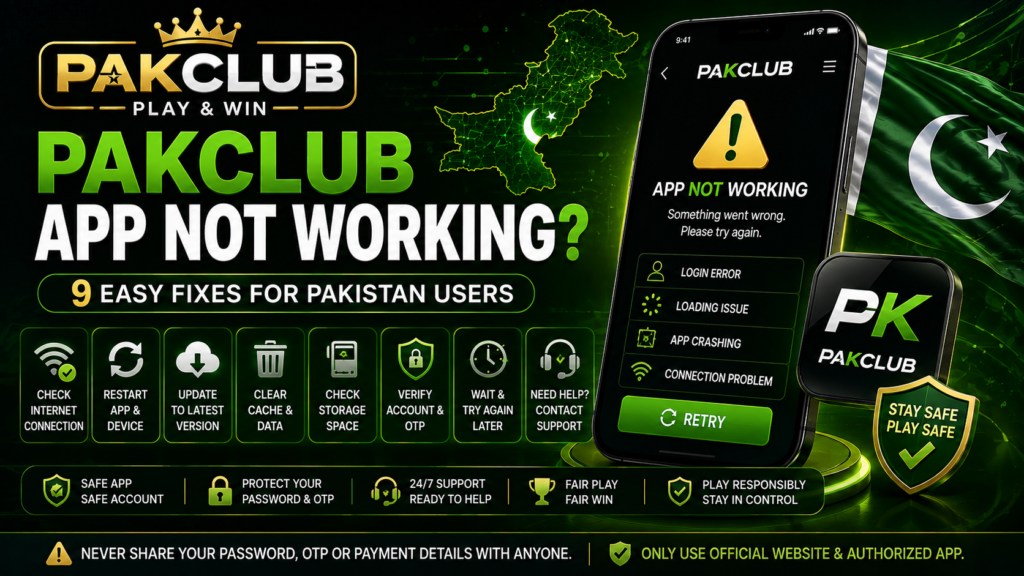
PAKCLUB App Not Working problems can include login errors, blank screens, slow loading, crashes, failed updates, verification problems, payment pages not opening, or the app stopping unexpectedly. This guide explains practical troubleshooting steps users in Pakistan can try before assuming that an account or service is unavailable.
App problems can be caused by internet connectivity, device storage, outdated software, browser or app cache, account verification, temporary service issues, or device compatibility. Users should avoid installing unknown APK files or sharing passwords and verification codes with people claiming that they can repair an account.
Why Is the PAKCLUB App Not Working?
If the PAKCLUB App is not working, the cause may be related to the device, internet connection, application version, account information, verification requirements, or a temporary service problem.
The same error can have different causes on different devices. Start with basic checks before reinstalling the application or changing account information.
PAKCLUB App Not Working: 9 Easy Fixes
1. Check Your Internet Connection
A weak or unstable internet connection can prevent the app from loading account information, games, payment pages, or verification screens correctly.
Try switching between Wi-Fi and mobile data. You can also briefly enable airplane mode and reconnect to the network before reopening the app.
2. Close and Reopen the App
A temporary software error may disappear after the app is fully closed and reopened.
Do not simply leave the app running in the background. Close it completely, wait briefly, and open it again.
3. Restart Your Device
Restarting the phone can clear temporary system problems and refresh network connections, memory, and background processes.
This is a simple step but can resolve loading, freezing, notification, and login issues.
4. Check for an App Update
An outdated application may not work correctly if the current service requires a newer version.
Before updating, verify that the installation file or update comes from the relevant trusted or authorized source. Avoid APK files distributed through unknown messages, websites, or social media accounts.
For general installation information, read our PAKCLUB Download Guide.
5. Check Available Storage Space
Low storage space can cause apps to crash, fail to update, load slowly, or stop saving temporary files.
Review your available device storage and remove unnecessary files or applications if the device is almost full.
6. Clear App or Browser Cache
Temporary cached files can sometimes become outdated or corrupted.
On Android, users may be able to clear the app cache through the device application settings. If using the service through a browser, clearing browser cache and cookies may help with loading problems.
Be careful before clearing all app data because this may sign you out or remove locally stored settings.
7. Check Login and Account Information
If the app opens but login does not work, confirm that the correct username, phone number, email address, or other account information is being used.
Do not repeatedly enter random passwords because multiple failed attempts may trigger additional security checks.
For login troubleshooting, read our PAKCLUB Login Guide.
8. Check OTP and Verification Requirements
Some account actions may require a one-time verification code or additional account verification. If a verification screen is incomplete, certain features may remain unavailable.
If your code does not arrive, review our PAKCLUB OTP Not Received Guide.
For broader verification information, see our PAKCLUB Account Verification Guide.
9. Wait and Try Again Later
If the app suddenly stops working for many features at the same time, a temporary service or server problem may be possible.
A short wait may be more useful than repeatedly reinstalling the application, changing passwords, or making multiple payment attempts.
PAKCLUB App Opens but Does Not Load
If the app opens but remains on a loading screen, first check the internet connection and restart the application.
Slow loading can also be caused by temporary service issues, low device memory, outdated app versions, or background processes using network resources.
Try closing other applications and reopening PAKCLUB after restarting the device.
PAKCLUB App Keeps Crashing
Repeated crashes may be related to device compatibility, storage space, outdated software, corrupted temporary files, or a problem with the current application version.
Check for system updates and available device storage before reinstalling anything.
If reinstalling is necessary, use only a trusted source and avoid unknown APK files.
PAKCLUB App Login Not Working
If the PAKCLUB App is working but login fails, the problem may be related to account details rather than the application itself.
Check the username, phone number, email, password, and any verification instructions shown on the login screen.
If you cannot remember the password, use the available recovery process instead of sharing account information with another person.
Read our PAKCLUB Forgot Password Guide for more information.
PAKCLUB App Verification Code Not Working
Verification codes can expire or become invalid after a newer code is requested.
If several OTP messages arrive, use the newest code unless the current service clearly states otherwise.
Never send an OTP to an unknown person who claims that they need it to fix the app, approve a withdrawal, activate a bonus, or verify your account.
PAKCLUB App Not Updating
An app update may fail because of insufficient storage, an unstable connection, device compatibility, installation permissions, or an incorrect download source.
Check available storage and internet stability first. If an update file is offered, verify the source before installing it.
Avoid downloading modified or unofficial applications that promise extra bonuses, guaranteed winnings, or special account access.
PAKCLUB App Not Installing
If the application does not install, common causes may include unsupported device versions, insufficient storage, blocked installation permissions, incomplete downloads, or corrupted files.
Do not repeatedly install different APK versions from unknown websites. This can increase the risk of malware, account theft, or fake login screens.
For installation troubleshooting, use our PAKCLUB Download Guide for Pakistan.
PAKCLUB App Is Very Slow
Slow performance may be caused by weak internet, low memory, background applications, old devices, browser cache, or temporary server load.
Try restarting the phone, closing unnecessary applications, checking storage space, and using a stable connection.
If only one specific feature is slow while the rest of the app works normally, the issue may be related to that feature rather than the entire application.
PAKCLUB App Games Not Loading
If the app opens but games do not load, check the network connection, reload the app, and confirm that the selected game or feature is currently available.
Game availability and technical requirements may change over time.
For general information about game navigation and rules, read our PAKCLUB Games Guide.
PAKCLUB App Deposit Page Not Working
If a payment page does not open or a deposit remains unclear, avoid repeatedly sending additional payments.
First check the transaction status, payment provider, account verification, and whether the relevant payment method is currently available.
For troubleshooting, read our PAKCLUB Deposit Problem Guide.
PAKCLUB App Withdrawal Page Not Working
Withdrawal features can be affected by account verification, transaction requirements, payment provider availability, temporary technical problems, or current account rules.
Do not send passwords or verification codes to unknown individuals who claim they can manually approve a withdrawal.
If a withdrawal is pending, failed, rejected, or not received, read our PAKCLUB Withdrawal Problem Guide.
Should You Reinstall the PAKCLUB App?
Reinstallation can sometimes help if application files are corrupted, but it should not be the first troubleshooting step.
Before reinstalling:
- Confirm your login information
- Check the internet connection
- Restart the device
- Check storage space
- Check for an official update
- Make sure you can access the registered phone number or email
- Verify the current download source
Do not uninstall the application if you are unsure how to safely reinstall it or recover your account access.
How to Spot a Fake PAKCLUB App
Fake applications may imitate branding while attempting to collect passwords, OTP codes, payment credentials, or personal information.
Warning Signs
- Download links from unknown websites
- Misspelled app or website names
- Requests for unnecessary permissions
- Promises of guaranteed winnings
- Requests for passwords outside the normal login screen
- Requests to send OTP codes to an agent
- Unexpected payment requests
- Modified APK files
- Security warnings from the device or browser
For general online security information, users can review the Secure Our World resources from the Cybersecurity and Infrastructure Security Agency (CISA).
PAKCLUB App Not Working FAQ
Why is the PAKCLUB App not opening?
Possible reasons include internet problems, device compatibility, low storage, outdated software, corrupted temporary files, or a temporary service issue.
Why does the PAKCLUB App keep crashing?
Check available storage, restart the device, close background apps, clear temporary cache where appropriate, and confirm that the application is current.
Why can I open the app but not login?
The issue may involve incorrect account information, password problems, verification requirements, or account security checks.
Should I download another APK if the app does not work?
Do not install random APK files from unknown sources. Verify the current trusted or authorized download source first.
Why is my OTP not arriving in the app?
Check the registered phone number or email, network conditions, spam folders, and whether too many codes have already been requested.
Does reinstalling the app fix every problem?
No. Login, payment, verification, network, and account issues may remain even after reinstalling the application.
Does PAKCLUBplay.com repair user accounts?
No. PAKCLUBplay.com is an independent information website and does not access, repair, or control private gaming accounts.
General PAKCLUB App Guide
For broader information about app features, account access, downloads, updates, navigation, and security, read our PAKCLUB App Guide for Pakistan.
Responsible Gaming and App Safety
A technical problem should not lead users to repeatedly deposit money, chase losses, or share private account information in an attempt to restore access.
Gaming should be treated as entertainment rather than guaranteed income. Set personal limits, protect passwords and verification codes, and avoid suspicious payment or download requests.
Read our Responsible Gaming Guide for more information about safer participation, account safety, personal limits, and warning signs.